![crfs_white.png]](https://www.crfs.com/hs-fs/hubfs/crfs_white.png?height=40&name=crfs_white.png)
- If you need a licence file please contact Customer Support
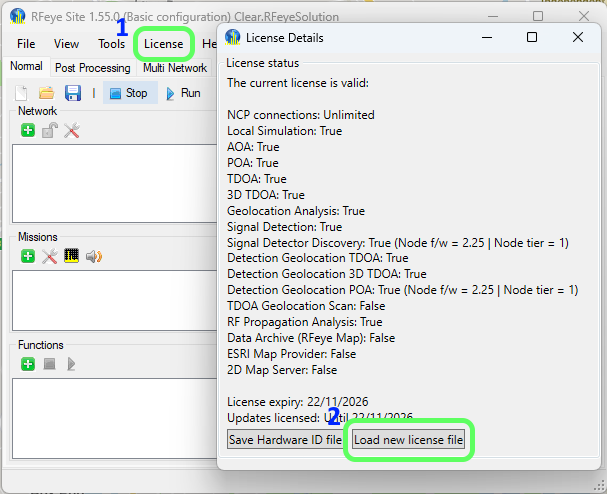
- Once you have a licence file, open RFeye Site
- If no licence is installed, the license window should appear automatically
- If it does not, click License on the menu bar
- Click Load New License File to upload the .lic file
- The software will restart to apply the license and will now be ready to use